What’s on UI
Redesigned the What’s On app onboarding and introduced a seasonal UI across mobile and desktop.
Role
Junior Digital & Graphic Designer
Industry
Public Sector
Duration
2 weeks (design and rollout)

What's On Link
Background
The What’s On app serves as a platform for users to discover local events and activities. The existing onboarding experience relied on standard iconography and lacked a distinctive visual identity, resulting in a functional but unmemorable first impression.
The project aimed to enhance user engagement by introducing a more dynamic and visually appealing onboarding experience. In addition, there was an opportunity to extend this visual direction beyond the app into desktop environments, creating a more cohesive and seasonal digital presence.
Research & Planning
I reviewed the existing onboarding flow to identify opportunities for improving engagement and emotional connection. The onboarding screens were functional but lacked personality and did not fully reflect the vibrancy of local events.
I defined a direction focused on creating a more engaging first-time user experience through seasonal storytelling, while ensuring the flow remained clear and easy to navigate.
Design & Prototyping
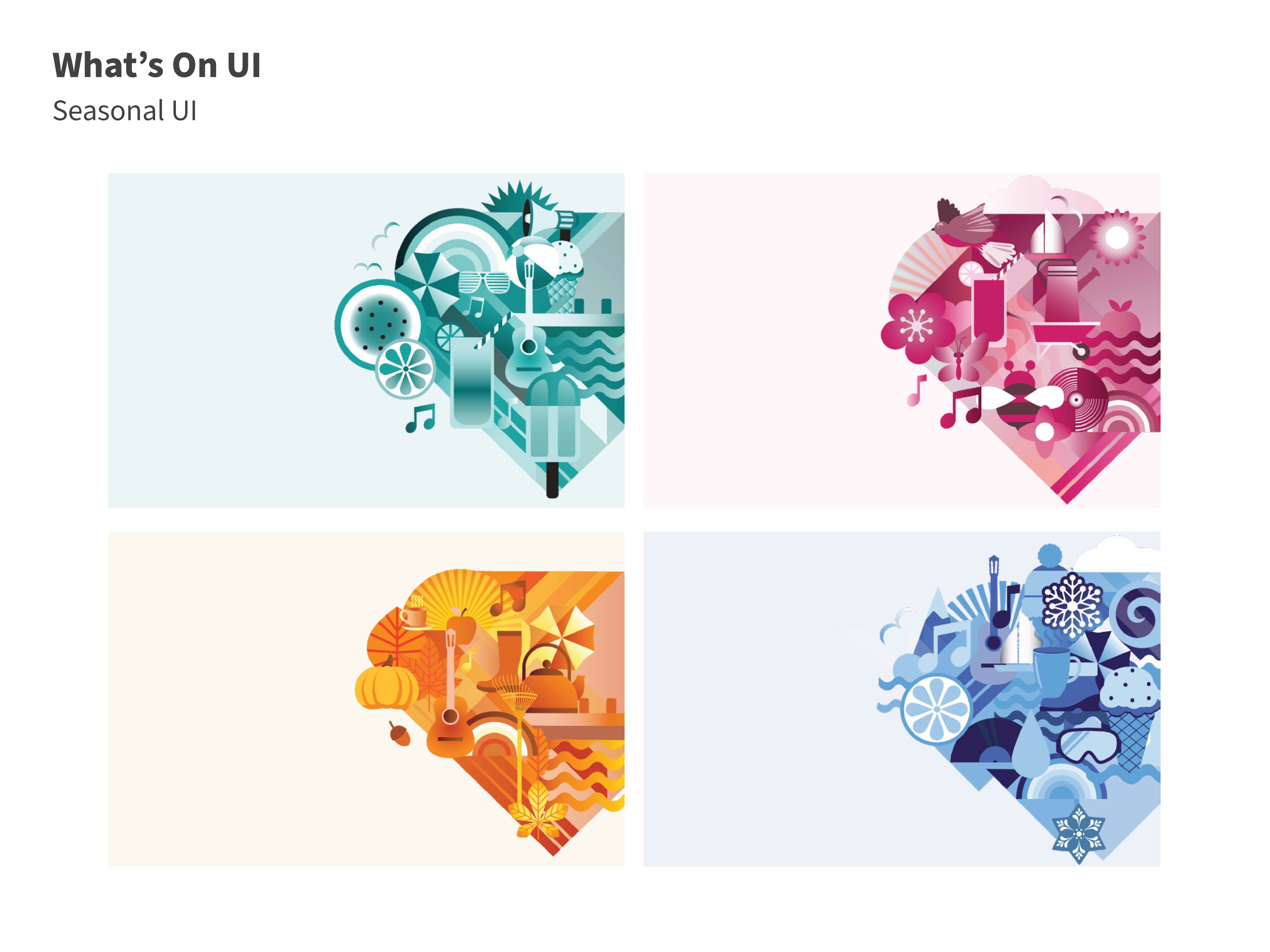
I redesigned the onboarding experience by replacing standard icons with custom seasonal graphics, introducing a more expressive and immersive visual style.
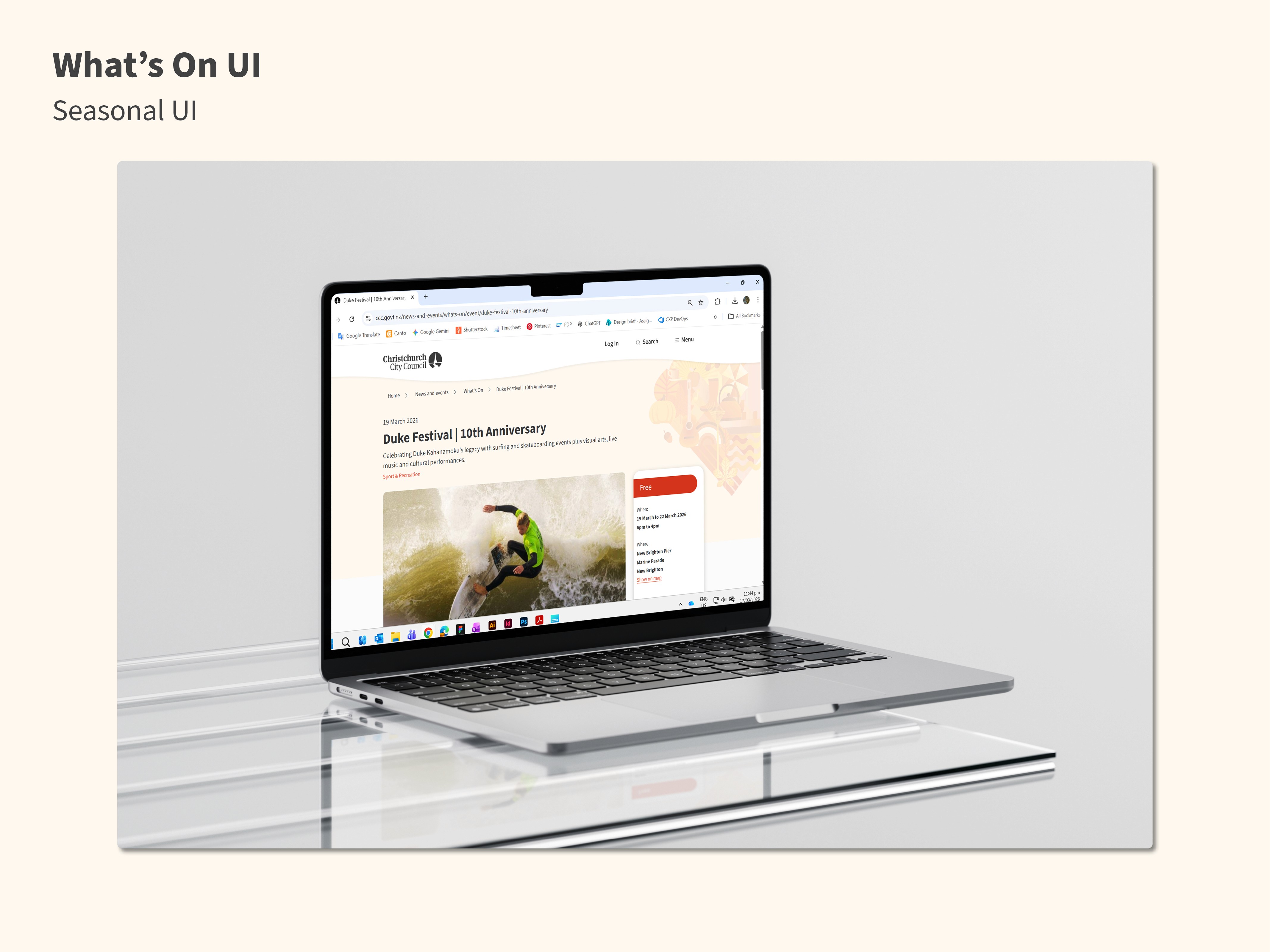
The designs maintained clarity and usability while adding personality, helping to better communicate the purpose of the app and create a stronger first impression. This visual system was then extended into a series of seasonal desktop backgrounds to reinforce consistency across platforms.
Development & Implementation
I worked within existing design constraints and brand guidelines to ensure the new visuals could be implemented effectively across the app and desktop environments.
Design deliverables included onboarding screen designs and a scalable set of seasonal assets that could be reused and adapted over time.
Solutions
Introduced seasonal visual storytelling to replace standard onboarding iconography
Extended a cohesive visual system across app onboarding and desktop backgrounds
The onboarding experience was redesigned to feel more engaging and memorable by incorporating seasonal graphics that reflect the dynamic nature of local events. This approach created a stronger emotional connection with users, making the first interaction with the app feel more lively and relevant.
To reinforce consistency, the same visual language was extended to desktop backgrounds, creating a unified experience across multiple digital touchpoints. This not only strengthened brand identity but also ensured users encountered a cohesive and refreshed aesthetic beyond the app itself.
Results
Enhanced user engagement through a more visually compelling onboarding experience
Established a scalable seasonal design system across platforms
The updated onboarding created a more engaging first impression, helping users better connect with the purpose and personality of the app. By replacing generic icons with expressive seasonal visuals, the experience became more distinctive and aligned with the app’s content.
Additionally, the introduction of a reusable seasonal visual system provided long-term value, enabling consistent updates across both mobile and desktop environments. This project highlights my ability to combine UX thinking with visual design to create cohesive, scalable, and engaging user experiences.
Other projects

Workflow Automation (WIP)
Improving an internal design briefing workflow by transforming complex stakeholder requirements into a clear, user-centred experience.

Campgrounds Website Redesign (WIP)
Creating a unified yet distinctive visual identity for four Christchurch City Council campground websites.

He Puna Taimoana
Led the redesign of the He Puna Taimoana website, improving usability, accessibility, and mobile-first experience.

Motion UI Accessibility
Led Motion UI accessibility research, defining principles, introduce Motion UI System and improving micro-interactions across council digital platforms.

Water Quality Map - Wai Map
Redesigned interactive water quality maps, enhancing usability and clarity for public and internal teams.